ImprovedProgress
My progress, rebuilt around your graphs
My progress now reads top to bottom in one column: your key numbers first, then the charts, then the concepts that need you most.
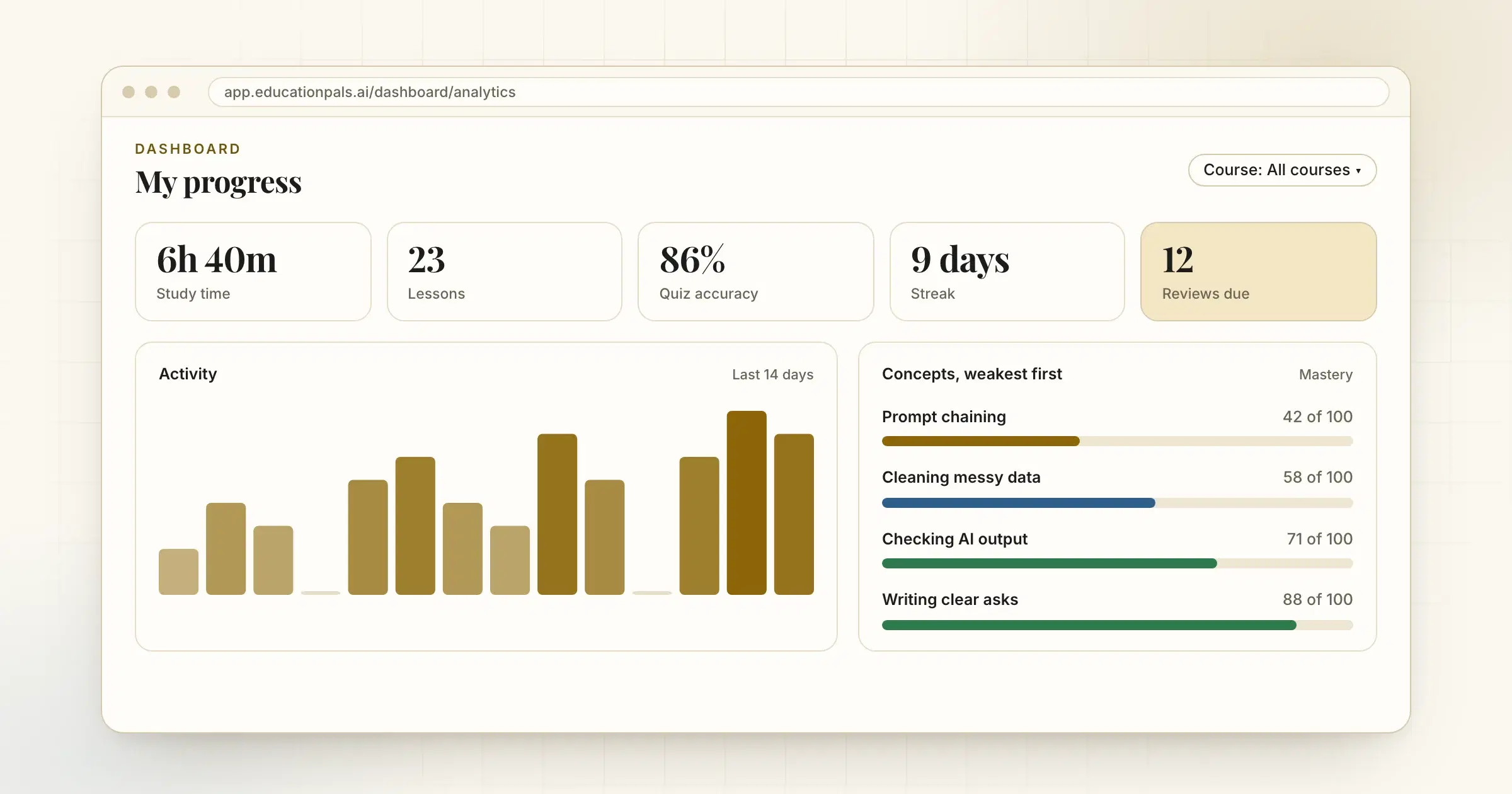
My progress used to spread across cards and tabs. Now it is one column you read from the top.
- Your numbers first. Study time, lessons, quiz accuracy, streak and reviews due sit in one band.
- Then the charts. Daily activity, the hours you tend to study, and where your time goes.
- Then what to work on. Concepts are listed weakest first, each course shows a strip of its lessons, and a calendar shows your year at a glance.
A Course filter at the top changes the whole page at once, so you can look at one course or all of them. You can also see how much of your Atlas allowance you have used this month.
How to try it
- Open My progressIt is in the sidebar of your dashboard.
- Pick a courseUse the Course filter to see one course, or leave it on all of them.
- Start with the weakest conceptThe concept list is sorted so the one that needs you most is first.