NewCourses
New courses: Claude Code, Cursor, Copilot, MCP and more
Eleven new hands-on courses on the AI tools people ask about most at work, from Claude Code and Cursor to MCP, RAG, Gemini Notebook and agent safety. Lesson 1 of each is free.
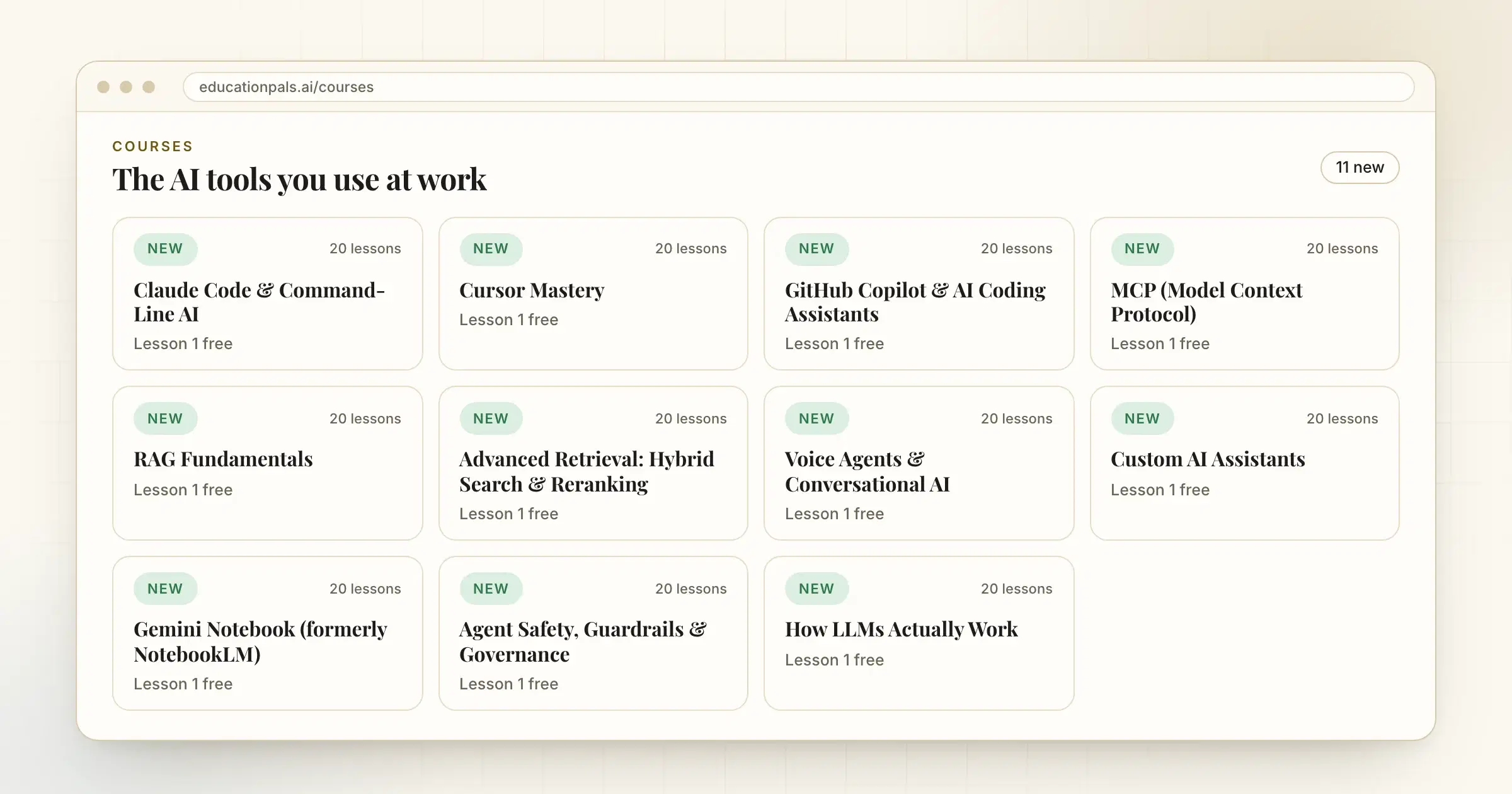
Eleven new courses teach the AI tools people ask about most at work. Each one is about 20 lessons, and you practice on a real project in your own tools as you go.
- Claude Code & Command-Line AI. Work with an AI agent in your terminal on a real repo: set its permissions, write a CLAUDE.md, and add hooks, skills and subagents.
- Cursor Mastery. Use Cursor's Agent, Tab and Plan Mode on a real repo, and write the project rules that keep it on track.
- GitHub Copilot & AI Coding Assistants. Agent mode in VS Code, instruction files, approvals, code review, the Copilot CLI and the cloud agent.
- MCP (Model Context Protocol). Build an MCP server in Python on your own data, test it through a client, and limit what it can do.
- RAG Fundamentals. Build a question-answering tool over your own documents and measure keyword, embedding, hybrid and reranked search against a test set.
- Advanced Retrieval: Hybrid Search and Reranking. The next step after RAG: tune keyword search, embeddings, hybrid fusion and rerankers on a public benchmark and on your own queries, and test whether a gain is real.
- Voice Agents & Conversational AI. Build a voice agent in Python, measure how long the caller waits, and add tools, a handoff and a phone number.
- Custom AI Assistants. Set up a Claude or ChatGPT project with instructions, files, skills and a test set you rerun after every change.
- Gemini Notebook (formerly NotebookLM). Add your sources, check every citation, spot what your sources leave out, and make reports and Audio Overviews you can trust.
- Agent Safety, Guardrails & Governance. Guard an AI agent that calls tools: keep prompt injection away from its actions, deny by default, check tool calls, add approvals and test attacks.
- How LLMs Actually Work. Build a tiny language model in short Python scripts and see tokens, embeddings, attention and training for yourself.
Check the AI's work as you go
Every course teaches the same habit: check what the AI tells you before you rely on it. You read the diff before you commit, write a test that fails before the fix, and compare an answer with its source. Atlas, the tutor in every lesson, answers from the lesson you are on.
What it costs
The first lesson of every course is free. The rest come with the Reader plan.
How to try it
- Open the course listEvery new course is on the Courses page.
- Pick the tool you useStart with the one you already have open at work, or the one your team keeps mentioning.
- Take lesson 1 freeIt opens straight after you sign in.