नयाLibrary
Highlights and notes in your Library
Your Library now has a Highlights tab that jumps back to the slide, notes you can edit in place, and short tooltips for new terms.
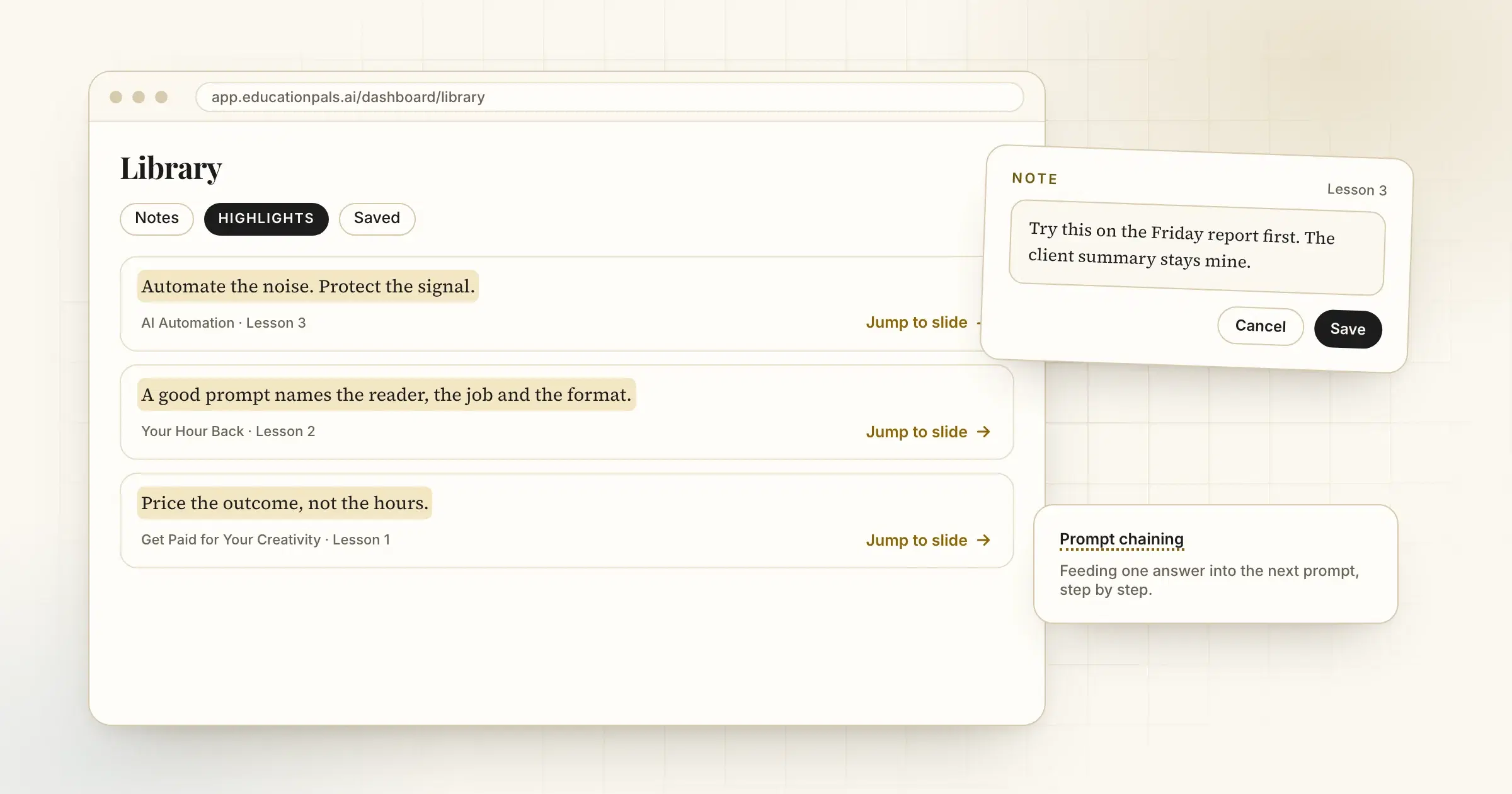
Highlight something in a lesson and it now shows up in a Highlights tab in your Library. Each one links straight back to the slide it came from.
Notes are easier too. Save to notes from any lesson lands in your Library, and you can edit a note in place without leaving the page.
New terms get a short tooltip the first time they appear on a slide, so you are never stuck on a word.
इसे कैसे आज़माएँ
- Highlight a passageSelect text in any lesson and choose Highlight.
- Open your LibraryFind it in the dashboard sidebar.
- Jump backOpen a highlight to return to its slide.